
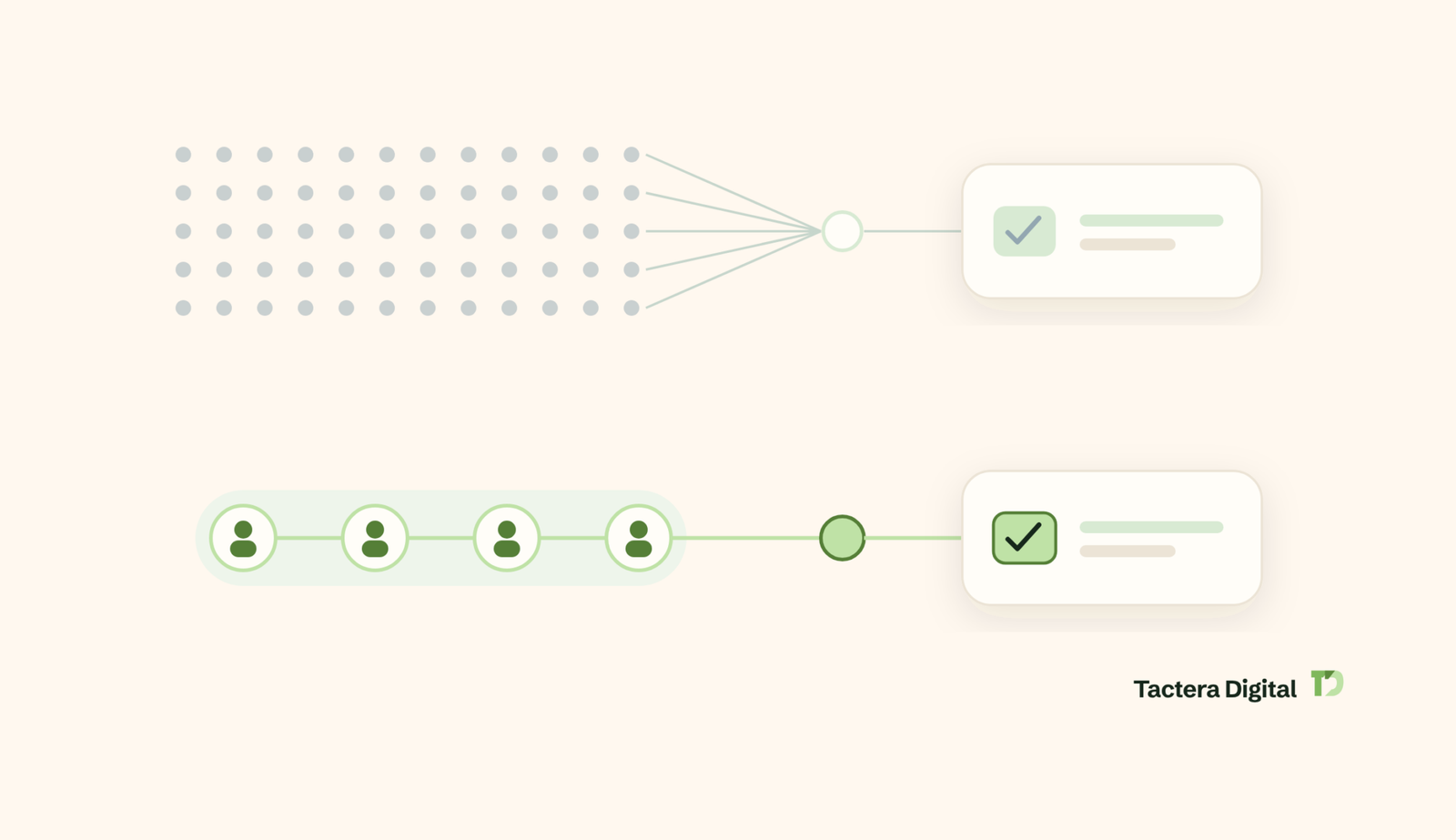
LinkedIn prospecting is the process of identifying decision-makers who match your ideal customer profile, starting relevant conversations with them, and turning those conversations into booked sales meetings. If you have searched for what LinkedIn prospecting is and how to run it without burning your account or your reputation, the short version is this: prospecting outcomes are decided by list quality first, message relevance second, and follow-up discipline third. Volume is a distant fourth. This guide walks through the full system, including the sending limits most guides get wrong, the metrics that tell you what is actually broken, and the compliance rules that apply once you add other channels.
What Is LinkedIn Prospecting?
Quick Answer: LinkedIn prospecting is the process of finding decision-makers who fit a defined ideal customer profile, opening conversations with them, and qualifying those conversations into sales meetings. It has three moving parts: the list, the message, and the follow-up. Most programs fail on the first part, long before anyone reads a word you wrote.
LinkedIn prospecting is the process of finding, researching, and contacting decision-makers on LinkedIn who match a defined ideal customer profile, then converting those conversations into qualified sales meetings. It is an outbound activity. You are selecting who to talk to, rather than waiting for the right person to find you.
Prospecting sits at the front of the sales cycle. LinkedIn’s own sales resources describe prospecting as the first step in the sales cycle: a strategic process of identifying and connecting with potential buyers, with the goal of building a database of qualified leads to enter into a sales funnel, documented in LinkedIn’s sales prospecting resource. Everything downstream depends on it. A closer cannot fix a list of the wrong people.
Three components make up any LinkedIn prospecting program:
- The list. The specific named humans you will contact, filtered on company fit, role, and ability to influence or approve a purchase.
- The message. The connection request, the first message, and the reason a busy stranger should reply.
- The follow-up. The touches after the first message, which is where most replies actually come from.
LinkedIn Prospecting vs. Lead Generation vs. Outreach
These three terms describe different scopes of work, and treating them as synonyms causes real planning errors. Prospecting is the narrowest of the three.
| Term | What it covers | Where it starts | Primary output |
|---|---|---|---|
| LinkedIn prospecting | Selecting and contacting specific decision-makers | A blank list | A qualified conversation |
| LinkedIn outreach | The message mechanics: requests, DMs, InMail, sequences | An existing list | A reply |
| LinkedIn lead generation | The full demand system: outbound, content, ads, inbound capture | A pipeline target | Booked meetings and pipeline |
If you want the messaging layer in detail, our guide to LinkedIn outreach and booked meetings covers sequence structure and reply handling. For the wider system including content and paid channels, see our complete B2B guide to LinkedIn lead generation.
Leads vs. Prospects: The Distinction That Changes Your List
A lead and a prospect are not the same thing, and the difference determines who belongs on your outreach list. LinkedIn’s sales resources define leads as potential customers who have shown some interest through an action such as a demo signup or a site visit, and prospects as qualified leads who align with your ideal buyer, have the necessary budget, and are more receptive to an open line of communication.
For outbound LinkedIn prospecting, you are building a prospect list, not a lead list. Nobody on it has raised a hand. That is the point. You are selecting people on evidence of fit rather than evidence of interest, which means your fit criteria have to carry all the weight that interest normally would.
The practical consequence: every name on the list should survive a single test. If this person replied today and said “tell me more,” would your team be glad? If the honest answer is no, the name should not be there.
Does LinkedIn Prospecting Still Work?
Quick Answer: LinkedIn prospecting still works, but the conditions changed. Response rates fell as automated sending scaled, and platform limits tightened around invitations. What still produces meetings is a narrow list, a message that references something specific, and follow-up that adds information rather than pressure.
LinkedIn prospecting still works, and the evidence sits in how B2B buying actually happens rather than in outreach folklore. The question surfaces constantly in sales communities, including a widely discussed thread asking whether LinkedIn prospecting was lost after the pandemic. The honest answer is that untargeted, high-volume prospecting stopped working. Targeted prospecting did not.
Three structural facts explain why the channel still earns meetings.
Buyers spend very little time with sellers, so the moment you get has to count. Gartner’s B2B buying journey research documents that buying is nonlinear: customers loop across six buying jobs, revisiting each at least once, rather than moving through a predictable sequence. Buyers are rarely sitting in a tidy “ready to talk” stage when your request arrives. They are somewhere in a loop, and relevance to their current job is what earns the reply.
Human and digital touches together outperform either alone. The same Gartner research found that B2B buyers are 1.8 times more likely to complete a high-quality deal when they engage with supplier-provided digital tools in partnership with a sales rep, rather than independently. Prospecting is how the rep enters that combination.
Targeted platform use measurably increases decision-maker contact. LinkedIn reported that in 2021 the average Sales Navigator user made 3.6 times more connections to decision makers than the average non-user, per LinkedIn’s sales prospecting resource. Targeting tooling changes who you reach, not how loudly you shout.
Why Response Rates Fell
Response rates fell for reasons that are structural, not mysterious.
- Supply of messages rose faster than buyer attention. Every buyer worth targeting now receives outreach from many sellers in the same week.
- Template detection got easier for humans. Buyers recognize the shapes: the compliment opener, the fake mutual-interest line, the immediate pitch after acceptance.
- Platform limits tightened. LinkedIn restricts invitation volume and explicitly acts on suspected automation, which removed the brute-force option that once masked poor targeting.
- Buying committees grew. A single accepted request now reaches one member of a group, not a decision-maker acting alone.
What Still Works
Three conditions separate LinkedIn prospecting programs that produce meetings from programs that produce nothing.
- A list narrow enough that every name is defensible. If you cannot explain in one sentence why a specific person is on the list, the message will not be able to explain it either.
- An opening that references something true and specific. A role, a recent change, a stated priority, a public post. Specificity is the only reliable signal that a human selected this person.
- Follow-up that adds something. Most replies arrive after the first message. A follow-up that repeats the ask adds nothing. A follow-up that adds a relevant observation earns a second look.
How Do You Build a Fit-Only Prospect List?
Quick Answer: Build a fit-only prospect list by defining an ideal customer profile you can express as search filters, running Boolean or Sales Navigator searches against those filters, layering trigger signals to prioritize, and then removing every name that fails a qualification test. List building should take more of your time than message writing.
Building a fit-only prospect list requires converting your ideal customer profile into filters a search engine can act on, then removing everyone who passes the filter but fails a human check. The five steps below produce a list where every name is defensible.
Step 1: Define an ICP You Can Filter On
Write your ideal customer profile in terms LinkedIn can actually search. “Companies that value quality” is not a filter. “Software companies, 50 to 200 employees, headquartered in the UK or Ireland, with a VP of Sales in seat” is a filter.
A filterable ICP needs five layers:
- Company attributes: industry, headcount band, geography, growth signals.
- Role attributes: job title variants, seniority, function.
- Buying authority: can this person approve, or influence the person who approves?
- Relevance evidence: what tells you this company plausibly has the problem you solve?
- Exclusions: company types, titles, and regions you will not contact under any circumstance.
The exclusion layer is the one most teams skip, and it is the layer that protects reply quality. Exclusions typically cover current customers, active opportunities, direct competitors, companies too small to afford the offer, and roles with no budget influence.
Step 2: Use Boolean Search on Standard LinkedIn
Boolean search lets you build precise title queries without a paid subscription. LinkedIn’s standard search supports quotation marks for exact phrases and the operators AND, OR, and NOT.
Practical patterns:
- Exact title match: “VP of Sales” returns that phrase rather than any profile containing both words.
- Title variants: “VP of Sales” OR “Vice President of Sales” OR “Head of Sales” captures the same role across naming conventions.
- Excluding noise: “Head of Sales” NOT recruiter NOT “sales training” removes adjacent roles that pollute most title searches.
- Combining layers: (“Head of Sales” OR “Sales Director”) AND SaaS narrows to a sector without a paid filter.
Boolean search on the free account is genuinely usable for small, sharply defined lists. It becomes limiting at scale because you cannot filter on company headcount, recent job changes, or activity, and free accounts hit commercial search limits.
Step 3: Layer Sales Navigator Filters
Sales Navigator adds filters that map directly to the ICP layers above. The filters worth building a process around are the ones that change who appears, not the ones that merely sort.
| Filter | Signal it captures | Why it matters for prospecting |
|---|---|---|
| Company headcount | Budget capacity and deal size | Separates a viable buyer from an aspirational one |
| Seniority and function | Buying authority | Prevents lists full of people who cannot approve anything |
| Changed jobs in last 90 days | New leader forming a plan | New leaders are actively reviewing vendors and processes |
| Posted on LinkedIn in last 30 days | Account is active | Filters out dormant profiles that will never see the message |
| Company headcount growth | Expansion pressure | Growth usually creates the operational problems you solve |
| Geography | Regulatory and timezone fit | Keeps outreach inside markets you can actually serve |
| Exclude current connections | List hygiene | Stops you re-contacting existing relationships as strangers |
The activity filter is the highest-leverage of the group. A perfectly matched prospect who has not opened LinkedIn in eight months is not a prospect. Filtering to accounts that posted or engaged recently removes a meaningful share of dead names before you spend a single invitation on them.
Step 4: Add Trigger Signals to Prioritize the List
A trigger is a recent, public change that makes the timing of your message defensible. Triggers do not change who is on the list. They change the order you contact them and give the opening line something true to reference.
| Trigger event | Where to find it | Message angle it supports |
|---|---|---|
| New role or promotion | Sales Navigator job-change filter, profile activity | The first 90 days plan and what they inherited |
| Funding round or expansion | Company page updates, news | Capacity problems that follow growth |
| Hiring for roles you touch | Company jobs tab | The gap they are trying to fill and the interim cost |
| Posted about a relevant problem | Their recent activity | Direct response to a stated priority |
| Engaged with an industry post | Reactions on relevant posts | Shared interest in a specific topic, not a generic one |
| Attended a relevant event | Event attendee lists | Shared context and a reason to have met |
Job changes are the strongest of these, and the data supports prioritizing them. LinkedIn reported that prospects are 62% more likely to accept an InMail if they switched jobs within the last three months, published on LinkedIn’s sales blog. A new leader is building a plan, reviewing what they inherited, and has explicit permission to change things. That window closes fast, which is why job-change triggers should be worked weekly rather than in batches.
Step 5: Scrub the List Before Any Message Goes Out
Filters return people who match on paper. A scrub removes people who match on paper but not in reality. Run every list through these checks before the first invitation:
- Remove anyone whose current role in their profile contradicts their listed title.
- Remove companies that are current customers, live opportunities, or partners.
- Remove companies clearly below your minimum viable deal size.
- Remove profiles with no activity and no photo, which usually indicates an abandoned account.
- Remove duplicate humans who appear under two profiles.
- Cap the number of contacts per company so one account does not receive six requests in a week.
The last rule matters more than it looks. Contacting six people at a 60-person company inside one week reads as a campaign, not as outreach, and it is the fastest way to get discussed internally for the wrong reason.
How Do You Optimize a LinkedIn Profile for Prospecting?
Quick Answer: Optimize a LinkedIn profile for prospecting by rewriting it for the buyer rather than for a recruiter. The headline states who you help and with what, the About section leads with the problems you resolve, and the Featured section carries proof. Your profile is the landing page every prospect visits before deciding whether to reply.
Optimizing a LinkedIn profile for prospecting means converting it from a career history into a page that answers one buyer question: is this person worth replying to? Nearly every prospect who considers your connection request will look at your profile first, which makes the profile part of the message, not a separate exercise.
| Profile element | The job it does in prospecting | What to write |
|---|---|---|
| Headline | Answers “who is this and why me” in search results and requests | Who you help, the outcome you produce, in plain words |
| Profile photo | Signals a real, active human | Current, clear, face visible, professional |
| Banner image | Reinforces the offer at a glance | The outcome, the market served, or a single proof point |
| About section | Converts curiosity into credibility | Problems you resolve, who you resolve them for, evidence |
| Featured section | Supplies proof without a sales call | Case results, a useful resource, a short explainer |
| Experience section | Confirms you have done this before | Outcomes achieved, not duties performed |
| Recent activity | Shows you are present, not dormant | Regular commentary in your buyers’ topic area |
Write a Headline for the Buyer, Not the Org Chart
Your headline appears next to your name in every connection request, every message preview, and every search result. A headline that reads “Senior Account Executive at [Company]” tells a prospect what your employer calls you. It tells them nothing about whether replying is worth ninety seconds.
A prospecting headline needs three elements: who you help, what changes for them, and enough specificity to be believable. “Helping mid-market logistics firms cut carrier onboarding from weeks to days” does more work than any title.
Lead the About Section With Their Problem
Most About sections open with the writer’s career story. A prospect reading it is looking for something else: evidence you understand their situation. Open with the problem, name who has it, then explain how you resolve it and what evidence exists that you can.
A workable structure:
- One sentence naming the problem your buyers actually have.
- One sentence on who has it, described so the right reader recognizes themselves.
- Two or three sentences on how you resolve it.
- Concrete evidence: outcomes, scale, or duration.
- A plain line on what happens if they reach out.
Use Featured Content as Pre-Call Proof
The Featured section is the only part of the profile where you control exactly what a prospect sees first. Use it for material that answers the objection a prospect would raise before agreeing to a meeting: a short case write-up, a resource that demonstrates expertise, or a clear explanation of how you work. Content that is only self-promotional does less than content that is genuinely useful to someone who never buys.
The LinkedIn Prospecting Message Framework
A LinkedIn prospecting message framework needs three distinct components: the connection request, the first message after acceptance, and the follow-up sequence. Each has a different job, a different length, and a different failure mode. Treating all three as “the message” is why most sequences underperform.
| Component | Its only job | Target length | Timing |
|---|---|---|---|
| Connection request | Earn the acceptance | 0 to 200 characters | Day 0 |
| First message | Earn a reply, not a meeting | 40 to 70 words | 1 to 2 days after acceptance |
| Follow-up 1 | Add information, restate nothing | 30 to 50 words | 4 to 6 days later |
| Follow-up 2 | Offer a different angle | 30 to 50 words | 7 to 10 days later |
| Final touch | Close the loop cleanly | Under 30 words | 14 days later |
The Connection Request: Note or No Note?
The connection request decision is constrained by a platform rule most guides ignore. According to LinkedIn’s invitations documentation, members can add a personalized message to a limited number of connection requests each month, with a character limit of 200 on each note, and that allowance is tied to account type. On a free account the monthly allowance is small enough that noting every request is not an available option.
That constraint forces an actual strategy rather than a default:
- Send without a note for well-matched, low-context prospects. A clean profile plus obvious relevance often accepts fine, and it preserves your note allowance.
- Spend a note where context genuinely exists. A shared event, a specific post of theirs, a mutual connection who matters, a job change you can reference.
- Never spend a note on a pitch. Two hundred characters is not enough to sell anything, and a pitch in the request converts an acceptance decision into a purchase decision.
A note that works stays under 200 characters and does one thing: explains why this person, specifically. “Saw your post on carrier onboarding delays. We work on that problem with logistics teams your size. Would value staying connected.” That is 132 characters and it justifies itself.
The First Message After the Accept
The first message earns a reply, not a meeting. Asking for a call in the first message converts a low-cost decision into a high-cost one before any trust exists.
A first message that works follows a fixed shape:
- Reference the specific reason you reached out. One line, verifiably true.
- Name the problem, not the product. Describe a situation they would recognize as theirs.
- Give a reason to believe you. A pattern you have seen, a result, a relevant observation.
- Ask a question they can answer in one line. Not “are you free Tuesday.”
Worked example, 61 words:
“Thanks for connecting, Sarah. Noticed you stepped into the VP Sales role in March. Most people we work with in that seat inherit a pipeline they did not build and cannot yet forecast. Usually the issue is qualification criteria rather than volume. Curious whether forecasting or pipeline coverage is the bigger headache for you right now?”
That message asks nothing expensive. It gives the prospect a binary they can answer with one word, which is the lowest-friction reply available.
The Follow-Up Sequence
Most replies arrive after the first message, which makes the follow-up sequence the highest-leverage part of the framework and the part most often abandoned. A follow-up that says “just bumping this” or “circling back” adds no information and gives the prospect nothing new to react to.
Each follow-up should carry one new element:
- Follow-up 1: a specific observation. Something you have seen in similar companies that relates to the problem you named.
- Follow-up 2: a different angle on the problem. If the first angle did not land, the diagnosis may be wrong rather than the timing.
- Follow-up 3: a direct, low-pressure close. Name that you have reached out twice, ask whether it is a timing issue or a relevance issue, and make it easy to say no.
The final touch matters more than it appears. A clean, genuinely low-pressure close is the message that most often produces “not now, but ask me in Q3,” which is a real pipeline outcome rather than a dead thread.
Six Message Patterns That Earn Replies
Each pattern below pairs a sourcing method with the opening it makes available. The specific reference is what separates these from a template.
1. The post commenter. Source: people who commented on a relevant industry post.
“You made a point on that thread about onboarding timelines that most vendors get wrong. We see the same pattern with logistics teams around your size. Is that a live problem for you, or already handled?”
2. The event attendee. Source: attendee lists for events your buyers attend.
“We were both at the supply chain operations session last week. The panel skipped the part I find hardest, which is what happens to carrier data after onboarding. How are you handling that side?”
3. The new leader. Source: changed-jobs filter, last 90 days.
“Congratulations on the new role. Most people in your seat spend the first quarter working out which of the inherited processes are worth keeping. If carrier onboarding is on that list, happy to share what we have seen work.”
4. The growth signal. Source: headcount growth or funding announcements.
“Saw the expansion into the Nordics. The teams we work with usually hit a process problem about two quarters after that kind of move, when the old manual steps stop scaling. Is that already on your radar?”
5. The group or community member. Source: shared LinkedIn Group membership.
“We are both in the operations leaders group. The recurring question there seems to be how to handle exceptions without adding headcount. Curious how your team approaches it.”
6. The client alumni. Source: people who previously worked at companies you have served.
“You worked at [Company] while our approach was in place there. Now that you are at a different organization, wondering whether the same onboarding problem exists in your current setup.”
Every one of these openings can be verified by the recipient in under five seconds. That is the entire mechanism. A prospect who can confirm you actually looked at them will read the second sentence.
How Many Connection Requests and Messages Can You Send?
Quick Answer: LinkedIn does not publish a fixed public number for invitation volume. It does publish the rules that govern restrictions, and those rules are what actually matter: invitations are limited for all account types, excessive sending combined with suspected automation can suspend an account, and a high share of ignored or spam-marked invitations triggers restrictions on its own.
LinkedIn limits how many connection requests and messages you can send, and the platform’s official documentation defines the constraints in terms of behavior rather than a single published number. Planning against the documented rules is more reliable than planning against a number you read on a tool vendor’s blog.
Documented LinkedIn platform rules and limits
| Rule | What LinkedIn documents | Source |
|---|---|---|
| Invitation limits apply to everyone | All members, Basic and Premium, are subject to invitation limits and restrictions | LinkedIn Help: Invitation limit reached |
| Restrictions cannot be bought off | You cannot buy or acquire more invitations while restricted, and LinkedIn cannot remove the wait period | LinkedIn Help: Invitation limit reached |
| Most restrictions last about a week | Most restrictions are automatically removed within one week | LinkedIn Help: Types of restrictions |
| Ignored invitations cause restrictions | Restrictions are triggered when many invitations are ignored, left pending, or marked as spam | LinkedIn Help: Types of restrictions |
| Suspected automation escalates it | Excessive invitations plus suspected automation tool use may result in suspension or restriction | LinkedIn Help: Types of restrictions |
| Repeat offences become permanent | Repeated suspensions may result in permanent restriction of the account | LinkedIn Help: Types of restrictions |
| Withdrawal has a lockout | After withdrawing an invitation, you cannot resend to the same person for up to three weeks | LinkedIn Help: Types of restrictions |
| Network size is capped | Maximum of 30,000 first-degree connections per member | LinkedIn Help: Types of restrictions |
| Personalized notes are rationed | Personalized invitation notes are limited per month by account type, each capped at 200 characters | LinkedIn Help: Invitations |
What this table means in practice: your effective sending capacity is not a fixed allowance you can spend down. It is a function of acceptance rate. A sender whose invitations are consistently accepted operates comfortably. A sender whose invitations are consistently ignored gets restricted regardless of volume, because ignored and pending invitations are themselves a documented trigger. Targeting is therefore an account-safety control, not only a performance control.
What Actually Triggers a Restriction
LinkedIn’s documentation points at four behaviors:
- A high proportion of ignored or pending invitations. This is a targeting problem showing up as a compliance problem.
- Invitations marked as spam by recipients. Usually caused by pitching inside the request.
- Volume spikes. A sudden jump from twenty invitations a week to two hundred looks like tooling, whether or not it is.
- Suspected third-party automation. Covered in detail in the automation section below.
The practical control is boring and effective: keep pending invitations low by withdrawing stale ones, keep daily sending steady rather than spiky, and never let acceptance rate drift down without changing the list.
Capacity Math: Working Backward From a Meeting Target
Prospecting volume should be derived from a meeting target, not chosen arbitrarily. The model below shows the arithmetic. The rates in it are illustrative placeholders so you can see the structure. Replace every rate with your own measured numbers before planning against it.
| Stage | Illustrative rate | Volume needed for 8 meetings/month |
|---|---|---|
| Meetings booked | Target | 8 |
| Positive replies to meeting | 40% | 20 positive replies |
| Replies to positive replies | 35% | 57 total replies |
| Accepted connections to reply | 15% | 380 accepted connections |
| Invitations to acceptance | 30% | 1,267 invitations |
| Invitations per week | Divide by 4.3 | approximately 295 per week |
Run that arithmetic honestly and the strategic conclusion becomes obvious. Nearly 300 invitations a week from a single account is not a safe or realistic plan under the platform rules above. The lever that fixes the model is not more sending. It is a higher acceptance rate and a higher reply rate, both of which come from a narrower list. Improving acceptance from 30% to 50% and reply from 15% to 25% cuts the invitation requirement to roughly 106 per week for the same eight meetings.
This is the single most useful calculation in prospecting, and almost nobody runs it. Do the arithmetic before you decide your list is too small.
LinkedIn Prospecting Benchmarks and Metrics to Track
LinkedIn prospecting benchmarks are only useful when measured against your own baseline, because reply rates vary enormously by market, seniority, offer, and deal size. What matters more than any published industry average is tracking the same five numbers consistently so you can see which stage is actually failing.
The five metrics that matter, and how to calculate them
| Metric | Formula | What it tells you |
|---|---|---|
| Acceptance rate | Accepted invitations / invitations sent | Whether your targeting and profile are credible |
| Reply rate | Replies / accepted connections messaged | Whether your first message is relevant |
| Positive reply rate | Positive replies / total replies | Whether you are reaching people with the problem |
| Meeting booked rate | Meetings booked / positive replies | Whether your qualification and handoff work |
| Show rate | Meetings attended / meetings booked | Whether the meetings you book are real |
Show rate is the metric most teams never track, and it is the one that exposes vanity pipeline. A program booking twelve meetings a month with a 50% show rate is producing six meetings, not twelve. Measuring it changes what you optimize.
How to Diagnose a Broken LinkedIn Prospecting Funnel
A broken LinkedIn prospecting funnel almost always fails at one identifiable stage, and the symptom tells you which. Diagnose the stage before changing anything, because the most common error is rewriting messages when the list is the problem.
| Symptom | Most likely cause | What to change first |
|---|---|---|
| Low acceptance rate | Targeting is off, or profile reads as irrelevant | Narrow the list, rewrite the headline |
| High acceptance, no replies | First message is generic or pitches too early | Rewrite the opening to reference something specific |
| Replies, but all negative | Wrong problem, or wrong seniority | Revisit the ICP, not the copy |
| Positive replies, no meetings | No clear next step, or handoff is slow | Reduce reply-to-booking time, simplify the ask |
| Meetings booked, poor show rate | Meetings booked with unqualified people | Add a qualification step before booking |
| Everything works, then stops | Account restriction, or list exhaustion | Check restrictions, then expand the segment |
Work this table top down. If acceptance rate is the problem, nothing below it can be measured reliably, because the sample never reaches the later stages. Fixing stages out of order is why prospecting programs get rebuilt three times and still fail.
For context on what a mature program produces, Tactera Digital has booked more than 4,000 marketing-qualified meetings, contributing over $40M in pipeline and more than $4.5M in closed revenue. Those outcomes came from narrowing lists and improving reply quality, not from raising send volume.
Manual vs. Automated LinkedIn Prospecting
Manual and automated LinkedIn prospecting differ in one respect that determines everything else: whether a human selects and writes each touch. That single difference drives message quality, account risk, and what happens when a prospect replies with something unexpected.
| Dimension | Manual prospecting | Automated prospecting |
|---|---|---|
| Message relevance | High, references verifiable specifics | Low, variables inserted into a template |
| Account risk | Low, activity looks human because it is | Elevated, third-party automation is prohibited |
| Reply handling | Human reads context and responds | Sequences continue regardless of reply content |
| Cost per touch | Higher | Lower |
| Cost per qualified meeting | Often lower | Often higher once show rate is counted |
| Scalability | Limited by operator hours | High, until an account is restricted |
| Best suited to | Considered, higher-value B2B deals | High-volume, low-consideration offers |
What LinkedIn’s Rules Say About Automation
LinkedIn’s position on third-party automation is documented and unambiguous. According to LinkedIn’s prohibited software and extensions policy, LinkedIn does not permit third-party software, including crawlers, bots, browser plug-ins, or browser extensions that scrape, modify the appearance of, or automate activity on the site. The same policy states that members using such tools are in violation of the User Agreement and risk having their accounts restricted.
Those prohibitions sit in the “Don’ts” section of the LinkedIn User Agreement, which bars developing, supporting, or using software, scripts, robots, crawlers, or browser plugins to scrape the services or copy profile data, using bots or automated methods to add contacts or send messages, and bypassing access controls or use limits such as caps on searches or profile views.
This is a contractual matter rather than a criminal one. The consequence is enforcement by the platform: restriction, suspension, and for repeated offences, permanent loss of the account. For a B2B company whose founder’s profile carries years of relationship history, that is not a recoverable cost.
Where Software Helps Without Risking the Account
The useful distinction is between software that touches LinkedIn and software that supports the work around it.
Lower risk, genuinely useful:
- CRM systems for tracking conversations, owners, and next steps.
- Note-taking and research tools used to prepare before writing.
- Calendar and scheduling tools for booking once a prospect agrees.
- Spreadsheets or list tools for building and scrubbing the target list.
- Reporting tools that track the five metrics above.
Higher risk, prohibited under the policy above:
- Browser extensions that send connection requests or messages on your behalf.
- Tools that auto-visit profiles or auto-endorse to trigger reciprocity.
- Anything that scrapes profile data at volume.
- Tools that bypass search or profile view caps.
Tactera Digital runs managed LinkedIn outreach with human-written messages and human-handled follow-up for exactly this reason. On considered B2B deals where a single relationship is worth six figures, the cost of a restricted account exceeds anything automation saves.
LinkedIn Prospecting Compliance and Data Rules
LinkedIn prospecting compliance operates on two separate levels: the platform’s own contractual rules, and data protection law in the region where your prospect sits. Meeting one does not satisfy the other, and the rules diverge sharply once you add email or phone to the sequence.
| Rule set | Applies to | Core requirement for prospecting | Official source |
|---|---|---|---|
| LinkedIn User Agreement | All LinkedIn activity, all regions | No scraping, no bots, no bypassing use limits | LinkedIn User Agreement |
| LinkedIn prohibited software policy | All LinkedIn activity | No extensions or tools that automate platform activity | LinkedIn Help |
| GDPR (EU) | Personal data of people in the EU | Need a lawful basis; legitimate interests requires assessment | GDPR Recital 47 |
| EDPB legitimate interest guidance | EU legitimate-interest reliance | Direct marketing is not automatically a legitimate interest | EDPB Guidelines 1/2024 |
| UK PECR | Electronic mail marketing in the UK | Electronic mail rule does not apply to corporate subscribers | ICO: B2B marketing |
| UK GDPR | Named individuals at businesses | Lawful basis and transparency still required | ICO: B2B marketing |
| US CAN-SPAM | Commercial email to US recipients | Accurate headers, honest subject lines, working opt-out | FTC compliance guide |
Read that table as a sequence rather than a menu. Platform rules govern what you may do on LinkedIn. Data protection law governs what you may do with the personal data you collect there. Electronic marketing rules govern what happens when you move the conversation to email.
EU and UK Data Rules
Under GDPR, contacting a named person is processing their personal data, which requires a lawful basis. Most B2B outbound relies on legitimate interests. GDPR Recital 47 states that processing personal data for direct marketing purposes may be regarded as carried out for a legitimate interest, and that a legitimate interest requires careful assessment including whether the data subject can reasonably expect processing for that purpose.
The word “may” carries the weight. The European Data Protection Board addressed this directly, stating in its Guidelines 1/2024 on legitimate interests that the fact Recital 47 says direct marketing may be carried out to fulfil a legitimate interest does not mean direct marketing always constitutes a legitimate interest, or that it is automatically possible to rely on that basis for all kinds of direct marketing.
In the UK, the position on email specifically is clearer. The Information Commissioner’s Office states that the PECR rule on direct marketing by electronic mail does not apply to corporate subscribers, which means B2B marketing emails can be sent to a corporate body without PECR consent. The ICO is equally clear that UK GDPR still applies where you hold the name of an individual representing that business, that you must tell them about the processing and have a lawful basis, and that businesses and business contacts can object to your direct marketing at any time.
Practical controls that follow from this:
- Keep a written record of why your targeting constitutes a legitimate interest for your specific offer and audience.
- Honor objections and opt-outs immediately across every channel, not just the one where they objected.
- Do not carry over data collected for one purpose into an unrelated campaign.
- Note that sole traders and some partnerships are treated as individual subscribers rather than corporate ones under the UK rules.
This section is a practical summary rather than legal advice. Confirm your position with a qualified adviser before running outbound at scale into regulated markets.
United States Email Rules Once You Add Channels
CAN-SPAM applies the moment you email a US prospect, and the law makes no exception for business-to-business email. The FTC’s CAN-SPAM compliance guide sets out the core requirements: no false or misleading header information, no deceptive subject lines, identification of the message as an advertisement, a valid physical postal address, and a working opt-out mechanism that is honored.
The exposure is calculated per message. The FTC states that each separate email in violation is subject to penalties of up to $53,088, and that more than one party can be held responsible, including both the company whose product is promoted and the company that sent the message. For an outbound program sending thousands of emails a month, that arithmetic deserves attention before the first send, not after.
How Do You Combine LinkedIn Prospecting With Email and Calls?
Quick Answer: Combine LinkedIn prospecting with email and calls by treating LinkedIn as the relevance layer and the other channels as reach. LinkedIn establishes who the person is and why you are contacting them. Email carries detail. Calls resolve timing. Running all three against the same short list beats running one channel against a long one.
Combining LinkedIn prospecting with email and calls works when each channel does the job it is best at, against a single shared list. The failure mode is running three separate campaigns to three separate lists and calling it multichannel.
| Day | Channel | Purpose |
|---|---|---|
| 0 | Connection request, no pitch | |
| 2 | First message after acceptance | |
| 4 | Same angle, more detail, clear opt-out | |
| 7 | Follow-up with a new observation | |
| 9 | Call | Direct attempt, referencing prior touches |
| 12 | Different angle on the same problem | |
| 16 | Final touch, low pressure, easy no |
Three rules make a multichannel sequence work rather than annoy:
- Every channel references the others. “I sent a note on LinkedIn last week” is honest and removes the ambush quality of a cold call.
- The angle stays consistent. Changing your pitch between channels signals that no real diagnosis exists.
- A reply anywhere stops everything. Sequences that continue after a human replied are the clearest signal that no human is reading.
Note that the compliance picture changes by channel. LinkedIn messages fall under the platform’s User Agreement. Email falls under CAN-SPAM in the US and PECR in the UK, as covered above.
A 30-Day LinkedIn Prospecting Cadence
A 30-day LinkedIn prospecting cadence turns the components above into a repeatable weekly operating rhythm. The sequence below assumes one operator working part of each day rather than a full-time team.
- Days 1 to 3: define the segment and exclusions. Write the ICP in filterable terms. Write the exclusion list. Agree what a qualified meeting means before any outreach starts, so nobody argues about it in week four.
- Days 4 to 5: optimize the profile. Rewrite the headline, About section, and Featured content for the buyer defined in step one. Do this before sending, because every prospect will read it.
- Days 6 to 8: build and scrub the list. Run Boolean or Sales Navigator searches against the ICP. Apply the activity filter. Scrub against the exclusion rules and cap contacts per company.
- Days 9 to 10: write the message set. Draft the connection note variants, the first message, and three follow-ups. Write them for one specific real person on the list, then generalize only as far as they still read as specific.
- Days 11 to 14: send at low volume and watch acceptance. Start well below your intended volume. The only metric that matters this week is acceptance rate, because nothing downstream is measurable until it stabilizes.
- Days 15 to 21: scale volume and start follow-ups. Increase sending gradually rather than in a spike. Begin the follow-up sequence for the first cohort. Track reply rate and positive reply rate separately.
- Days 22 to 26: qualify and book. Handle replies personally. Qualify against the criteria set in step one before booking anything. Book straight onto the closer’s calendar to remove a handoff step.
- Days 27 to 30: review and iterate. Run the five metrics. Use the diagnostic table above to identify the single weakest stage. Change one variable for the next cycle, not four.
| Week | Primary focus | Metric to watch | Common mistake |
|---|---|---|---|
| 1 | Targeting and profile | None yet | Sending before the list is scrubbed |
| 2 | Acceptance rate | Acceptance rate | Scaling volume before acceptance stabilizes |
| 3 | Reply rate and follow-up | Reply and positive reply rate | Abandoning follow-ups after touch one |
| 4 | Qualification and booking | Meeting and show rate | Booking anyone who replies politely |
The discipline that makes this work is changing one variable per cycle. Teams that rewrite the list, the message, and the cadence simultaneously learn nothing, because no result can be attributed to any change.
LinkedIn Prospecting Best Practices
LinkedIn prospecting best practices come down to a short list of decisions that consistently separate programs producing meetings from programs producing activity.
- Spend more time on the list than on the message. A perfect message to the wrong person fails. A plain message to the right person often works.
- Filter for active accounts. A prospect who has not used LinkedIn in months cannot reply.
- Cap contacts per company. Multiple simultaneous requests into one small company reads as a campaign.
- Open on their problem, not your product. The first message should be recognizable to them, not impressive to you.
- Ask a question they can answer in one line. Low-cost replies come from low-cost questions.
- Never pitch inside a connection request. It converts an acceptance decision into a purchase decision and raises spam-marking risk.
- Follow up at least three times, adding something each time. Most replies arrive after the first message.
- Withdraw stale pending invitations. Pending and ignored invitations are a documented restriction trigger.
- Keep sending steady, not spiky. Volume jumps look like tooling.
- Write every message by hand. Human-written messages read differently, and they keep the account inside platform rules.
- Qualify before booking. A meeting with an unqualified prospect costs a closer an hour and teaches you nothing.
- Track show rate, not just bookings. Booked meetings that never happen are not pipeline.
- Measure one change at a time. Attribution is impossible otherwise.
- Post occasionally in your buyers’ topic area. A profile with recent, relevant activity converts profile visits better than a dormant one.
Common LinkedIn Prospecting Mistakes and How to Fix Them
| Mistake | Why it fails | The fix |
|---|---|---|
| Pitching in the connection request | Converts a free decision into a costly one | Use the note to explain relevance only |
| Buying or scraping a list | Poor fit plus platform and data-protection risk | Build from filtered search and scrub manually |
| Sending to everyone with the right title | Title alone does not indicate the problem | Add company fit and trigger signals |
| One message, no follow-up | Most replies come after the first touch | Build a three-touch follow-up minimum |
| “Just circling back” follow-ups | Adds no new information | Each follow-up carries one new observation |
| Automating sends with extensions | Prohibited under the User Agreement | Human-written sends, human-handled replies |
| Booking every polite reply | Inflates bookings, destroys show rate | Qualify against written criteria first |
| Judging a test in three days | Sample is too small to read | Run a full cycle before changing anything |
| Ignoring acceptance rate | Hides a targeting problem as a copy problem | Diagnose stages in order, top down |
| Treating LinkedIn as a standalone channel | Misses reachable buyers who live in email | Run one list across coordinated channels |
In-House, Software, or Specialist Partner: How to Resource LinkedIn Prospecting
Resourcing LinkedIn prospecting comes down to three options, and the right choice depends on deal size, internal capacity, and how much the account’s reputation is worth. The same evaluation criteria apply to all three.
| Criterion | In-house team | Software-led | Specialist partner |
|---|---|---|---|
| Time to first meetings | Slow, needs hiring and ramp | Fast to send, slow to qualify | Moderate, depends on onboarding |
| Message quality | High if the operator is good | Low, template-driven | High if human-written |
| Account risk | Low | Elevated where tools automate activity | Low where outreach is manual |
| Cost structure | Salary plus tooling plus management | Subscription | Retainer or one-time build |
| Internal capacity required | High | Moderate | Low |
| Knowledge retention | Stays in-house | Stays in the tool | Depends on the engagement type |
| Best fit | Teams with an experienced SDR function | High-volume, low-consideration offers | Considered B2B deals without spare capacity |
Work through the criteria honestly. If you have an experienced SDR who can be given the time to build lists properly, in-house is usually the best long-term economics. If your deals are small and volume genuinely is the lever, software-led sending is defensible. If your deals are considered, your founder’s account carries years of relationship history, and nobody internally has ten hours a week to do this properly, a specialist partner is the option that avoids the two failure modes above.
Where Tactera Digital Fits
Tactera Digital runs targeted, human-led LinkedIn prospecting for B2B companies with a proven offer. The model reflects the arguments in this guide rather than contradicting them: targeted lists over mass sending, messages and follow-up written by hand rather than automated, and marketing-qualified meetings as the deliverable instead of raw lead volume.
Two engagement types exist. Managed Outreach is a done-for-you monthly service where the entire prospecting process is run for you and qualified, ICP-fit meetings are booked directly to your or your closer’s calendar. Team Training and Handoff is a one-time build where the system is built, tested, and launched with you, then handed over for your team to own. You can see how the pipeline process works end to end, or read more about Tactera Digital and who the model fits.
To date, that approach has produced more than 4,000 marketing-qualified meetings, over $40M in generated pipeline, and more than $4.5M in closed revenue. It is not a fit for every company. Pre-revenue businesses, unproven offers, and low-ticket products are better served elsewhere, because outbound prospecting amplifies an offer rather than validating one.
Conclusion: Build the List Before You Write the Message
LinkedIn prospecting rewards precision far more than it rewards effort. The teams booking consistent meetings are not sending more invitations than everyone else. They are sending to a shorter list of better-matched people, opening on something specific and verifiably true, following up more than once with new information each time, and measuring the five funnel metrics closely enough to know which stage is actually broken. The platform rules and data-protection requirements covered above are not obstacles to that approach. They point in the same direction, because everything LinkedIn restricts is a symptom of poor targeting.
Start with the arithmetic. Work backward from your meeting target, calculate the volume your current rates demand, and if that number looks impossible, narrow the list rather than raise the volume. That single decision fixes more prospecting programs than any message rewrite.
If you would rather have LinkedIn prospecting run for you by a team that builds the lists by hand, writes every message manually, and books qualified meetings straight onto your calendar, that is exactly what Tactera Digital does.
Book a Pipeline Fit Call and we will look at your ICP, your offer, and whether targeted LinkedIn outreach can realistically produce the pipeline you need.
Frequently Asked Questions
What is LinkedIn prospecting?
LinkedIn prospecting is the process of identifying decision-makers who match your ideal customer profile, contacting them directly, and qualifying those conversations into sales meetings. It differs from lead generation because it starts with a blank list and selects targets deliberately, rather than capturing people who already showed interest in your company.
How do I find decision-makers on LinkedIn without Sales Navigator?
Use Boolean search on standard LinkedIn. Combine exact-phrase title searches in quotation marks with the operators AND, OR, and NOT to capture title variants while excluding recruiters and adjacent roles. Free accounts cannot filter on headcount, job changes, or activity, so this works best for small, sharply defined segments rather than large lists.
Is LinkedIn prospecting better than cold email?
Neither channel is universally better. LinkedIn offers stronger identity verification and profile context, which makes relevance easier to establish. Email allows longer detail and larger volume. Considered B2B deals usually perform best when both run against the same short list, with LinkedIn establishing relevance and email carrying supporting detail.
How many connection requests can I send per week on LinkedIn?
LinkedIn does not publish a fixed public figure. Its documentation confirms all accounts are subject to invitation limits, that restrictions cannot be bought off, and that most restrictions lift within a week. Your practical capacity depends on acceptance rate, because ignored and pending invitations are themselves a documented restriction trigger.
Should I add a note to a LinkedIn connection request?
Only when genuine context exists. LinkedIn caps personalized notes at 200 characters and rations how many you get each month by account type, so notes are a limited resource. Spend them where you can reference a specific post, shared event, mutual connection, or recent job change. Never spend one pitching.
Is LinkedIn automation allowed?
LinkedIn’s prohibited software policy states it does not permit third-party tools, bots, or browser extensions that scrape, alter, or automate activity on the platform. Using them violates the User Agreement and risks account restriction or suspension. Tools that support the surrounding work, such as CRMs and schedulers, sit outside that prohibition.
How long should a LinkedIn prospecting message be?
Keep the first message to roughly 40 to 70 words and follow-ups shorter still, around 30 to 50. Connection request notes are capped at 200 characters. Length is not the real constraint though. A short message that references nothing specific performs worse than a slightly longer one that clearly targeted this person.
How many follow-ups should I send?
Send at least three after the first message, spaced roughly four to seven days apart. Each one must add something new: an observation, a different angle on the problem, or a clean close. Follow-ups that simply restate the original ask give the prospect nothing to react to and train them to ignore you.
Does LinkedIn prospecting still work after the pandemic?
Yes, though the conditions tightened. High-volume, untargeted prospecting largely stopped working as automated sending scaled and platform limits hardened. Narrow targeting still produces meetings consistently. The channel rewards precision now rather than persistence, which is why programs built on volume tend to report that it stopped working.
How do you prospect on LinkedIn without being spammy?
Contact fewer people with better reasons. Reference something the recipient can verify in five seconds, such as a post they wrote or a role they just started. Do not pitch inside the connection request, do not contact six people at one small company, and stop the sequence immediately when someone replies.
Why is my LinkedIn connection acceptance rate low?
Low acceptance almost always signals a targeting or profile problem rather than a copy problem. Either the people you are contacting have no obvious reason to know you, or your profile does not make replying look worthwhile. Fix the list and the headline before rewriting messages, since nothing downstream is measurable until acceptance stabilizes.
Do I need to post content to prospect on LinkedIn?
Posting is not required, but recent activity helps. Prospects check your profile before accepting, and a dormant account converts worse than an active one. Occasional, relevant commentary in your buyers’ topic area is enough. Treat content as support for outreach rather than a replacement for it.
Do I need LinkedIn Sales Navigator for prospecting?
Not for small, tightly defined lists, where Boolean search on a free account is workable. Sales Navigator becomes worth the cost once you need to filter on company headcount, recent job changes, or account activity. Those filters change who appears in results, which is what improves list quality at scale.
How long before LinkedIn prospecting produces meetings?
Expect four to six weeks before the numbers mean anything. The first two weeks establish acceptance rate, which everything downstream depends on. Replies typically appear in weeks two and three, and meetings follow once follow-up sequences mature. Judging a program before a full cycle completes produces changes based on noise.
Is LinkedIn prospecting GDPR compliant?
It can be, with the right basis and controls. Contacting a named person processes their personal data, so you need a lawful basis. Most B2B outbound relies on legitimate interests, which requires a documented assessment. Regulators have been explicit that direct marketing does not automatically qualify, so record your reasoning and honor objections immediately.
What is the difference between prospecting and networking on LinkedIn?
Prospecting is deliberate and commercial: you select specific people because they fit a buying profile, and the intended outcome is a qualified sales conversation. Networking is relationship building without a defined commercial target or timeline. Both are legitimate, but blending them tends to produce outreach that is neither useful nor clearly intentioned.
Should founders or SDRs run LinkedIn prospecting?
Founders usually see materially higher acceptance and reply rates, because a founder reaching out reads as significant rather than routine. The trade-off is time. A practical split is founder-branded outreach for high-value accounts and an SDR or partner handling volume segments, with qualified meetings routed to whoever will close them.
How do you qualify a LinkedIn prospect before booking a meeting?
Agree written criteria before outreach starts, then check them in the conversation. Confirm the company fits your profile, the person can influence or approve a purchase, a relevant problem exists now, and rough timing is plausible. Booking every polite reply inflates meeting counts while destroying show rate and closer confidence.