
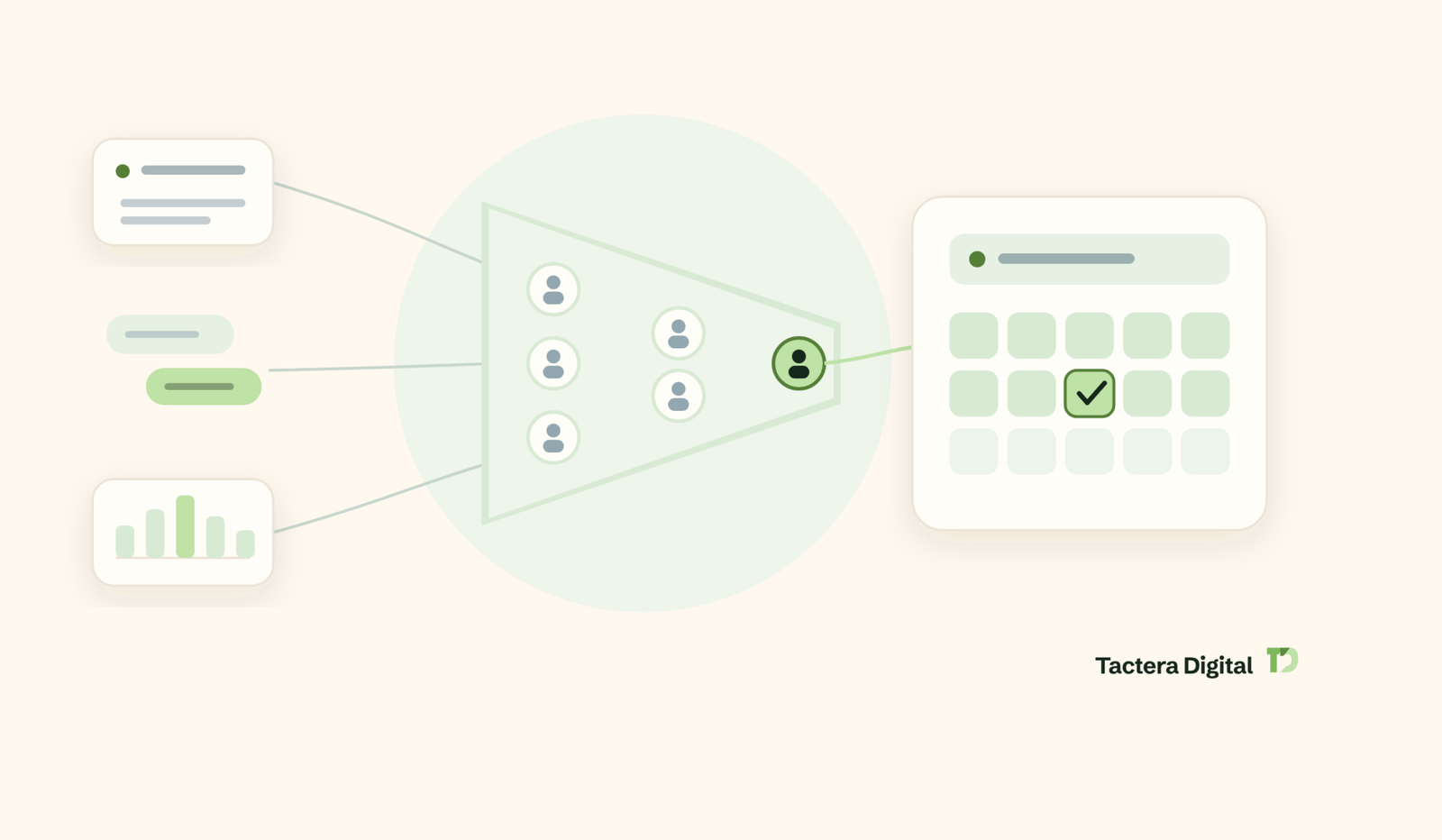
LinkedIn lead generation is the process of turning targeted outreach, content, and ads on LinkedIn into qualified sales conversations and booked meetings with B2B decision-makers. If you want to understand how LinkedIn lead generation works, which strategies produce real pipeline, and what benchmarks separate strong campaigns from wasted effort, this guide gives you the full playbook. Read on for the frameworks, message templates, performance benchmarks, and compliance rules that the best B2B teams use in 2026.
The platform is where B2B pipeline lives. Nearly 89% of B2B marketers use LinkedIn for lead generation, and 62% say it produces leads for them, more than twice the rate of the next social channel. This guide moves past the surface tips and shows you how to build a fit-only prospect list, write messages people answer, run ads and content that convert, stay inside LinkedIn’s rules, and measure what matters.
What Is LinkedIn Lead Generation?
Quick Answer: LinkedIn lead generation is the practice of finding, engaging, and converting B2B decision-makers on LinkedIn into qualified leads and booked meetings. It combines three motions: outbound outreach, organic content, and paid ads. The strongest programs treat these as one system rather than three separate tactics, which is where most teams go wrong.
LinkedIn lead generation works because the platform pairs professional data with a business mindset. Members list their exact job title, company, seniority, and industry, so you can reach the right buyer instead of guessing. Members also arrive in a work frame of mind, which makes them more receptive to a relevant business message than they would be on a consumer network.
A “lead” on LinkedIn is not a random connection. A qualified lead is a person who fits your ideal customer profile, has shown interest or a clear need, and has agreed to a next step such as a call. Volume without fit is the most common trap, and it is why some teams conclude the channel does not work.
Inbound vs Outbound LinkedIn Lead Generation
Inbound and outbound are the two engines of LinkedIn lead gen, and they solve different problems. Inbound uses content and profile positioning to attract buyers who come to you. Outbound uses research-led outreach to start conversations with buyers who fit but have not found you yet.
- Inbound LinkedIn lead generation: You post useful content, optimize your profile as a landing page, and let interested buyers reach out or engage. It builds slowly, compounds over time, and produces warm inbound demand.
- Outbound LinkedIn lead generation: You build a targeted list, send personalized connection requests and messages, and follow up. It produces predictable, controllable pipeline and works from day one.
Most B2B teams need both. Outbound creates near-term meetings while inbound content warms the audience so that outreach lands better. Running them together lifts reply rates because prospects recognize your name before you message them.
Why LinkedIn Is the Top Channel for B2B Lead Generation
LinkedIn is the top B2B lead generation channel because it combines precise professional targeting, a buying-ready audience, and lower cost per lead than search advertising. The data is consistent across sources.
Table 1: Why LinkedIn Leads B2B Channels (2026 benchmarks)
| Metric | Figure | What It Means | Source |
|---|---|---|---|
| B2B marketers using LinkedIn for lead gen | 89% | Near-universal adoption for pipeline | LinkedIn Marketing Solutions |
| Rate LinkedIn most effective for high-quality leads | 40% | Quality, not just volume | Sprout Social |
| Share of B2B social leads from LinkedIn | ~80% | Four of five B2B social leads | DigitalApplied |
| Cost per lead vs Google Ads | 28% lower | More efficient for B2B budgets | LinkedIn Marketing Solutions |
| Visitor-to-lead conversion (LinkedIn vs Facebook) | 2.74% vs 0.77% | 277% more effective than Facebook | DigitalApplied |
The takeaway for your plan: LinkedIn is worth prioritizing, but adoption alone does not create pipeline. The gap between the 89% who use it and the 40% who call it their best channel is execution. Targeting, message quality, and consistent follow-up decide whether you land in the winning group.
Does LinkedIn Lead Generation Work? Benchmarks and ROI
Quick Answer: Yes, LinkedIn lead generation works for B2B when the list is tightly targeted and the outreach is human and personalized. It fails when it becomes random posting or mass, generic messaging. The channel supplies and converts, but the conversion happens in the follow-up, not the first touch.
The skeptics who “tried LinkedIn and got nothing” almost always stalled at unstructured outreach. When you compare conversion by tactic, the pattern is clear: personalized, on-platform touchpoints outperform generic broadcast.
Table 2: LinkedIn Lead Generation Conversion Benchmarks (aggregated 2026 industry ranges)
| Tactic | Typical Conversion / Response | Comparison Point | Source |
|---|---|---|---|
| LinkedIn Lead Gen Forms | 10-15% form completion | Standard landing pages 2-5% | Business Dasher |
| InMail response rate | 18-25% | Cold email 1-5% | Business Dasher |
| Visitor-to-lead conversion | 2.74% | Facebook 0.77%, Twitter/X 0.69% | DigitalApplied |
| Personal profile vs company page engagement | ~8x | Post from a person, not a logo | DigitalApplied |
Note: Ranges are aggregated industry benchmarks and vary by list quality, offer strength, and industry. Treat them as planning ranges, not guarantees.
Interpret these numbers as a priority order. Post from personal profiles, not company pages. Use native Lead Gen Forms to cut friction on paid campaigns. And treat outreach as a conversation to earn, not a pitch to blast. In our own work at Tactera Digital, human-led outreach has booked 4,000+ qualified meetings and generated more than $40M in pipeline, which reflects the same lesson: fit and personalization beat volume.
Read what done for you LinkedIn lead generation is, what it costs, and our 8-step process here.
The Three Core Elements of LinkedIn Lead Generation
Every LinkedIn lead generation program is built from three elements: content, outreach, and ads. They map to the buyer journey and reinforce each other.
Content and Thought Leadership
Content builds the trust that makes outreach and ads work. Buyers research before they respond, and useful posts position you as a credible option before you ever send a message. B2B buyers consume 7 to 10 pieces of content before making a decision, and 75% say thought leadership helps them decide which vendors to shortlist.
The most effective content answers a real buyer problem, shares a specific point of view, or teaches a repeatable method. Text posts, short native video, and document carousels tend to perform best. Posting from a personal profile matters, because personal posts earn far more engagement than the same content from a company page.
Outreach
Outreach is the engine that produces near-term meetings. It starts with a targeted list, moves to a personalized connection request, and continues through a first message and a multi-touch follow-up. Most replies come from the follow-up, not the first message, so a single-touch approach leaves most of the pipeline on the table.
Outreach only works at the quality level, not the volume level. A short, researched, problem-led note beats a long pitch every time. This is the heart of done-for-you managed LinkedIn outreach, where every message is written by a human rather than sprayed by a bot.
LinkedIn Ads
Ads extend reach and capture demand you cannot touch with organic outreach alone. The two highest-value formats for lead generation are Sponsored Content with a native Lead Gen Form and retargeting. A LinkedIn Lead Gen Form pre-fills a prospect’s contact details from their profile, which removes typing friction and lifts completion rates well above a standard landing page.
Ads are optional for smaller teams and powerful for funded ones. If budget is tight, prioritize outreach and content first, then layer ads to retarget engaged visitors.
How to Build a Targeted B2B Prospect List
Quick Answer: You build a targeted B2B prospect list on LinkedIn by defining a precise ideal customer profile, then using Sales Navigator or LinkedIn search filters to isolate the exact titles, industries, company sizes, and regions that fit. A fit-only list of 300 right people beats a broad list of 3,000, because acceptance and reply rates rise when the message matches the reader.
List quality is the single biggest driver of outreach results. Everything downstream, from acceptance rate to booked meetings, depends on whether you are talking to the right people.
Define Your Ideal Customer Profile
Your ideal customer profile (ICP) is the specific type of company and buyer most likely to buy and stay. Write it down before you touch any search tool. A usable ICP includes:
- Industry or vertical you serve best, based on past wins.
- Company size by headcount or revenue, matched to your price point.
- Buyer titles you sell to, including the economic buyer and the day-to-day user.
- Region and language you can support.
- Trigger signals such as recent funding, hiring for a relevant role, or a new leader in the buying function.
A tighter ICP feels risky because the list shrinks. In practice it lifts results, because relevance is what earns a reply.
Here is a worked example. A payroll software company selling to mid-market firms might define its ICP as: SaaS and professional-services companies with 200 to 1,000 employees, in North America, where the buyer is a VP of People, Head of HR Operations, or CFO, and a trigger signal is a recent hire in the HR-tech or finance function. That single sentence turns a vague “HR leaders” idea into a searchable, message-ready audience. Every outreach message can now open on a problem those exact people feel, which is what lifts acceptance and reply rates.
Use Sales Navigator Filters to Build a Fit-Only List
LinkedIn Sales Navigator lets you filter prospects by job title, seniority, industry, company size, geography, and more to build a precise list of decision-makers. It is the native, compliant way to find your ICP at scale. Free LinkedIn search works too, especially with Boolean operators, but Sales Navigator adds depth, saved lists, and lead recommendations.
Practical filtering tips:
- Layer filters. Combine job function with seniority to reach true decision-makers rather than a broad title match.
- Use Boolean search in free LinkedIn for title variations, for example (“VP Sales” OR “Head of Sales” OR “Sales Director”).
- Save leads into lists so you can work them in an organized cadence.
- Watch for signals such as a new role or a recent post about a relevant problem, then reference that context in your outreach.
Sales Navigator is a research and targeting tool, not an automation tool. It helps you find the right people so your human outreach lands better.
Reach the Whole Buying Committee
B2B purchases are rarely one person’s decision, so your list should include the whole buying committee. LinkedIn research finds that anywhere from 3.1 to 4.6 departments influence a typical B2B decision, often IT, finance, business development, accounting, and operations.
Do not target only the executive who signs. Junior and mid-level people often run the evaluation, build the shortlist, and become tomorrow’s leaders. Reaching several roles inside one account, each with a message tailored to their concern, raises your odds of a meeting and a deal.
How to Optimize Your LinkedIn Profile for Lead Generation
Quick Answer: Optimize your LinkedIn profile for lead generation by treating it as a landing page, not a resume. Your headline and About section should state who you help and the outcome you deliver, not just your job title. Buyers check your profile before they accept a request or reply, so the profile decides whether outreach converts.
A profile built for lead gen answers one question in seconds: “Can this person help someone like me?” This is a recurring theme in real practitioner discussions, where the advice is to make your profile look less like a CV and more like a client-focused page.
Key elements to fix first:
- Headline: Lead with the outcome you create for your target buyer, plus who you serve. Skip the internal job title.
- Banner image: Use it to state your value or offer, since it is prime visual space.
- About section: Open with the buyer’s problem, then your approach, then a clear next step.
- Featured section: Pin proof such as a case result, a guide, or a booking link.
- Recent activity: Post consistently so a prospect who checks your profile sees relevant, current thinking.
Headline examples make the shift concrete. A resume-style headline states a title. A lead-gen headline states an outcome for a buyer.
- Resume style (weak): “Account Executive at [Company]”
- Lead-gen style (strong): “I help mid-market SaaS teams book more qualified sales meetings on LinkedIn”
- Resume style (weak): “Founder | Marketing Consultant”
- Lead-gen style (strong): “Helping B2B founders turn LinkedIn into a predictable pipeline channel”
The second version in each pair passes the “can this person help me” test in the search results, before a prospect even clicks. A strong profile also lifts your connection acceptance rate, which in turn expands how many requests LinkedIn lets you send. Profile quality and outreach capacity are linked.
LinkedIn Lead Generation Strategies That Work in 2026
The most reliable LinkedIn lead generation strategies for 2026 combine targeted outreach, useful content, and selective paid amplification, all built on relevance rather than volume. Below are ten strategies in priority order, from the highest-leverage outbound motions to supporting tactics.
1. Send Warm, Researched Connection Requests
A warm connection request references something specific about the prospect, such as a recent post, a shared group, or a common problem. Personalized notes get accepted far more often than blank or generic requests. Keep the note under 300 characters, open on their world, and never pitch in the request itself.
2. Open the First Message on the Buyer’s Problem
Your first message after a connection is accepted should open on the prospect’s problem, not your product. Reference the context you researched, ask a relevant question, and keep it to two or three short sentences. The goal of message one is a reply, not a booked call.
3. Follow Up More Than Once
Most replies come from follow-ups, so a multi-touch sequence is not optional. Space follow-ups out over days, vary the angle, and add value each time with a resource, a data point, or a specific idea. Voice notes and short personal videos can lift reply rates because they stand out in a text-heavy inbox.
4. Use the Educate-and-Engage Content Formula
Educate-and-engage content teaches something useful, then invites a conversation. Share a method, a mistake to avoid, or a result with the lesson behind it, and end with a question. This formula builds authority while giving your network a reason to comment, which expands your reach to their networks.
5. Tap LinkedIn Groups and Communities
LinkedIn groups let you reach a concentrated audience that already cares about your topic. Join the groups your buyers are in, contribute answers rather than promotions, and use genuine participation to start relationships. Groups work as a warming layer that makes later outreach feel familiar.
6. Run Webinars and Live Events
Webinars and LinkedIn Live events generate warm, high-intent leads because attendees self-select by showing up. Promote the event through your profile and outreach, deliver real value live, and follow up with everyone who registered. One well-run event can produce dozens of warm conversations.
7. Activate Employee Advocacy and Social Selling
Employee advocacy multiplies reach by turning your team’s personal networks into distribution. Equip employees with content they can share and encourage genuine commenting and posting. Personal posts consistently outperform company-page posts, so a team of active individuals beats a single company account.
8. Use LinkedIn Lead Gen Forms and Sponsored Content
LinkedIn Lead Gen Forms attached to Sponsored Content collect complete, accurate contact details with a few taps by pre-filling profile data. This removes the friction of manual typing, especially on mobile, and lifts conversion above a standard form. Pair a strong offer, such as a benchmark report or a template, with precise ad targeting.
9. Retarget Website Visitors with the Insight Tag
The LinkedIn Insight Tag lets you retarget people who visited your website but did not convert. These visitors already know your brand, so retargeting them on LinkedIn produces higher engagement than cold reach. Install the tag once, then build audiences from key pages such as pricing or a product page.
10. Run an Omnichannel Motion (LinkedIn Plus Email)
An omnichannel motion pairs LinkedIn touches with email to reach prospects where they respond. Identify the prospect on LinkedIn, add a compliant email touch, and coordinate the timing so the two channels reinforce each other. This extends reach beyond LinkedIn’s weekly caps while keeping every message personal.
LinkedIn Messaging Templates and Frameworks
LinkedIn messaging templates and frameworks give you a repeatable structure for the three message types that drive replies: the connection note, the first message, and the follow-up. Effective messages are short, researched, and problem-led, and they ask for a small next step rather than a sale. Treat templates as a starting structure, not a script to send unchanged.
The fastest way to kill a message is to make it about you. The fixes below apply to every template.
What not to include in a LinkedIn message:
- A pitch in the connection request note.
- A wall of text longer than a few sentences.
- Generic openers that could go to anyone.
- A hard “book a call” ask before any value is shown.
- Fake familiarity or forced compliments.
The Connection Request Note
The connection note earns the accept, nothing more. Structure: one line of relevant context, one line of why connecting makes sense, no pitch.
“Hi [Name], your post on [specific topic] matched a problem my clients are working through right now. Would like to connect and follow your thinking on it.”
The First Message
The first message opens the conversation on their problem. Structure: acknowledge the context, ask one relevant question, keep it short.
“Thanks for connecting, [Name]. Curious how your team is handling [specific challenge] going into next quarter. We see two common approaches, and one tends to backfire. Happy to share what we are seeing if useful.”
The Follow-Up
The follow-up adds value and gives an easy path to a next step. Structure: reference the last message, add one useful thing, offer a low-friction option.
“Following up with a short benchmark on [topic] that might help either way. If it is worth a deeper look, I can walk you through it in 15 minutes next week. If not, no problem at all.”
Content Ratios: The 4-1-1, 5-3-2, and 70-20-10 Rules
Content ratio rules keep your feed valuable instead of promotional, so your audience stays engaged when you do reach out. These are posting frameworks, not laws, and you can adapt them to your audience.
Table 3: Common LinkedIn Content Ratio Frameworks
| Rule | How It Splits Content | Purpose |
|---|---|---|
| 4-1-1 | 4 pieces from others, 1 soft self-promotion, 1 hard promotion | Stay useful, promote sparingly (LinkedIn) |
| 5-3-2 | 5 curated, 3 original, 2 personal | Balance authority with humanity |
| 70-20-10 | 70% value, 20% shared ideas, 10% promotion | Keep the feed audience-first |
Interpretation: the exact ratio matters less than the principle. Keep most of your content focused on the reader’s problems, and reserve a small slice for your offer. A feed that only sells stops earning attention.
A Sample 5-Touch LinkedIn Outreach Cadence
A LinkedIn outreach cadence is a planned sequence of touches spaced over days, moving from a connection request through value-led follow-ups. Most replies arrive on the second or third touch, not the first, so a cadence turns scattered messaging into a repeatable, measurable process instead of a set of one-off pings.
Below is a simple cadence you can adapt. It assumes the connection request is accepted before message one is sent. Adjust timing to your audience and never let it feel automated.
Table 4: Sample LinkedIn Outreach Cadence
| Day | Touch | Goal |
|---|---|---|
| Day 0 | Connection request with a personalized note | Earn the accept |
| Day 1-2 | First message, problem-led, one question | Start a conversation, not a pitch |
| Day 4-5 | Follow-up with a useful resource or data point | Add value, stay top of mind |
| Day 8-9 | Follow-up with a specific idea or a soft meeting offer | Move toward a next step |
| Day 14-16 | Final value-led touch, then pause | Close the loop, leave the door open |
Interpretation: the cadence is a scaffold, not a script. Each touch should reference the last one and add something new, because repeating “just following up” with no value trains the prospect to ignore you. If a prospect replies at any point, drop the cadence and have a real conversation. This is exactly how disciplined outbound differs from spray-and-pray messaging.
This schedule is one piece of a bigger messaging system. For the complete process, message templates, and safe sending limits, read our full guide to LinkedIn outreach.
LinkedIn Lead Generation Tools and When You Actually Need Them
LinkedIn lead generation tools fall into a few clear categories, and most teams need fewer than they think. Buying tools before you have a working process is the most common way to waste budget.
- Native targeting: Sales Navigator for finding and filtering your ICP. This is the foundational tool for most teams.
- CRM: A place to track conversations, stages, and follow-ups so leads do not fall through cracks.
- Content and scheduling: Tools to plan and publish posts consistently.
- Analytics: Tracking to measure acceptance, reply, meeting, and show rates.
A deliberate word of caution on automation tools. Browser extensions and bots that auto-send connection requests or messages violate LinkedIn’s rules and put your account at risk, which the next section covers in detail. The safest tool stack keeps a human in the loop for every message.
Common LinkedIn Lead Generation Mistakes to Avoid
The most common LinkedIn lead generation mistakes are broad targeting, generic mass messaging, single-touch outreach, and relying on automation that risks your account. Each one lowers reply rates or endangers the asset your pipeline runs on.
- Targeting too broadly: A bigger list with worse fit lowers acceptance and reply rates.
- Sending the same message to everyone: Prospects can tell, and it triggers “I don’t know this person” reports.
- Stopping after one message: You forfeit the follow-ups where most replies live.
- Automating outreach with bots: You risk restriction, and recipients notice the robotic pattern.
- Measuring volume instead of quality: One hundred unqualified leads are worth less than ten qualified ones.
Is LinkedIn Lead Generation Legal, and What Are the Limits?
Quick Answer: LinkedIn lead generation is legal when you use the platform manually or with native tools like Sales Navigator, and it stays inside the rules as long as you avoid bots and scrapers. LinkedIn does not prohibit outreach. It prohibits automated software that scrapes data or automates activity, and it enforces weekly sending limits to prevent spam.
Understanding the rules protects the account your pipeline depends on. There are two things to get right: the automation policy and the volume limits.
LinkedIn’s Automation and Scraping Policy
LinkedIn’s User Agreement, Section 8.2, and its Prohibited Software policy ban third-party crawlers, bots, browser plug-ins, and extensions that scrape data or automate activity on the site. Accounts that break this rule risk restriction or a permanent ban. If LinkedIn detects automated activity, it asks you to disable the tool before your account is restored.
The practical line is simple. Manual outreach and native tools are compliant. Bots, scrapers, and auto-senders are not. This is why human-led outreach is the durable approach: it protects the account and produces better messages.
LinkedIn’s Connection and Messaging Limits
LinkedIn enforces reputation-based weekly limits, not a single public number, to keep the platform free of spam. The ranges below reflect widely reported 2026 figures for accounts in good standing.
Table 5: LinkedIn Outreach Limits (2026 safe ranges)
| Action | Typical Safe Limit | Notes |
|---|---|---|
| Connection requests | ~100-200 per week | Higher for aged accounts with a strong Social Selling Index; free accounts safer under 80 |
| Daily connection sends | ~15-25 per day | Spreading sends looks human and avoids throttling |
| New-conversation messages | ~100-150 per week | Free vs paid accounts differ |
| Pending sent invitations | Keep under 500 | A hard flag begins near 700; withdraw stale requests |
| Total connections | 30,000 maximum | The account network cap; followers remain unlimited |
| Connection note length | 200 chars (free), 300 (premium) | Two to three short sentences |
Source: Compiled from LinkedIn Help and widely reported 2026 outreach limits (see LinkedIn Help: Prohibited software). Limits are dynamic and adjust with account age and acceptance rate.
Interpretation: these caps reward relevance. High acceptance and reply rates expand your effective limits, while low acceptance and large pending backlogs shrink them. Targeting a fit-only list is not just better for results. It also keeps your account healthy.
How to Measure LinkedIn Lead Generation Performance
Quick Answer: Measure LinkedIn lead generation by tracking the full funnel: connection acceptance rate, reply rate, meetings booked, show rate, and cost per meeting. Volume metrics like impressions are early signals, but the metrics that tie to revenue are meetings booked and pipeline created. Measure quality, not just quantity.
The biggest measurement mistake B2B teams make is judging leads by volume instead of fit. A dashboard that only counts connections tells you nothing about pipeline.
Table 6: LinkedIn Lead Generation Metrics to Track
| Metric | What It Tells You | Healthy Direction |
|---|---|---|
| Connection acceptance rate | List fit and profile strength | Higher is better |
| Reply rate | Message relevance and targeting | Higher is better |
| Positive reply rate | Genuine interest, not just responses | Rising over time |
| Meetings booked | Near-term pipeline creation | The core outcome |
| Show rate | Meeting quality and confirmation process | Above 70% is a common goal |
| Cost per meeting | Efficiency of the whole motion | Falling as the process improves |
Interpretation: read the funnel top to bottom. A low acceptance rate points to a list or profile problem. A healthy acceptance rate but low reply rate points to a message problem. Strong replies but few meetings points to an offer or booking-process problem. Fix the earliest broken step first.
In-House vs Agency vs Automation: Choosing Your Approach
Choosing how to run LinkedIn lead generation comes down to three paths: build it in-house, hire an agency, or rely on automation software. Each has a distinct cost, risk, and control profile. The right choice depends on your team, timeline, and tolerance for account risk.
Table 7: LinkedIn Lead Generation Approaches Compared
| Factor | In-House | Managed Agency | Automation Software |
|---|---|---|---|
| Setup speed | Slow (hire, train, ramp) | Fast (existing process) | Fast (but risky) |
| Message quality | Depends on skill | Human-written, consistent | Templated, often generic |
| Account safety | High if manual | High if human-led | Low (bots violate ToS) |
| Control | Full | Shared, with reporting | Full, but fragile |
| Cost profile | Salaries plus tools | Monthly fee | Low fee, high hidden risk |
| Best for | Teams building a long-term function | Teams wanting pipeline without the build | Teams underestimating ToS risk |
Interpretation: automation looks cheapest until an account restriction removes the pipeline overnight. In-house gives full control but takes months to ramp and depends on hiring the right operator. A managed, human-led service delivers pipeline without the build, which is the model behind Tactera Digital’s managed outreach. Teams that want to own the function long term can also start with a build-and-handoff model through LinkedIn outreach team training and handoff, then run it internally.
How Tactera Digital Approaches LinkedIn Lead Generation
Tactera Digital books qualified sales meetings for B2B companies through targeted, human-led LinkedIn outreach, sent to SDR and founder calendars for closing. The approach reflects every lesson in this guide: a fit-only list over mass sending, human-written messages and follow-ups over automation, and marketing-qualified meetings as the deliverable rather than raw connection counts.
That focus on fit and personalization is what has produced 4,000+ qualified meetings booked, $40M+ in pipeline, and $4.5M+ in closed revenue for clients. You get the pipeline without the account risk, the ramp time, or the guesswork of building the motion from scratch.
If you have read this far, you already understand that strong LinkedIn lead generation is less about hacks and more about doing the fundamentals well and consistently. The teams that win treat the channel as a system, protect their accounts, and measure meetings instead of vanity metrics. If you want that system built and run for you, or built and handed to your team, the next step is a short conversation about fit. Book a Pipeline Fit Call and we will map what predictable LinkedIn pipeline looks like for your business.
Frequently Asked Questions
Does LinkedIn lead generation actually work?
Yes, LinkedIn lead generation works for B2B when the list is tightly targeted and outreach is personalized. It fails when it becomes random posting or mass generic messaging. Roughly 89% of B2B marketers use LinkedIn for lead gen and 40% call it their most effective channel, but results depend on execution, not adoption alone.
How do you generate leads on LinkedIn?
You generate leads on LinkedIn by defining an ideal customer profile, building a targeted list with Sales Navigator, optimizing your profile as a landing page, sending personalized connection requests, and following up more than once. Adding useful content and, optionally, Lead Gen Form ads amplifies the whole motion. Fit and follow-up drive the results.
Is LinkedIn lead generation legal?
LinkedIn lead generation is legal when you use the platform manually or with native tools like Sales Navigator. What LinkedIn prohibits is automation: bots, scrapers, and browser extensions that automate activity or copy data. Those violate LinkedIn’s User Agreement and risk account restriction. Manual, human-led outreach stays fully compliant with the rules.
How much should you pay for LinkedIn lead generation?
Costs vary widely by model. Automation tools are cheapest per month but carry account-restriction risk that can erase pipeline. In-house means salaries plus tools and a multi-month ramp. Managed, human-led services charge a monthly fee for done-for-you pipeline. Judge cost by cost per qualified meeting, not by the sticker price alone.
What is the 5-3-2 rule on LinkedIn?
The 5-3-2 rule is a content mix framework: for every 10 posts, share 5 pieces of curated content from others, 3 original pieces of your own, and 2 personal posts. It keeps your feed valuable and human rather than promotional. The exact ratio matters less than the principle of staying audience-first.
What is the 4-1-1 rule on LinkedIn?
The 4-1-1 rule suggests that for every 6 posts, you share 4 pieces of content from others, 1 soft self-promotion, and 1 hard promotion. It stops your feed from becoming a sales channel and keeps your audience engaged. Reserve most of your content for the reader’s problems, not your offer.
How many connection requests can I send on LinkedIn per week?
LinkedIn allows roughly 100 connection requests per week for most accounts, and up to about 200 for aged accounts with a strong Social Selling Index and high acceptance rate. Free accounts are safer staying under 80. The limit is reputation-based and dynamic, so relevant targeting that lifts acceptance also expands your capacity.
Is LinkedIn automation safe?
LinkedIn automation is not safe if it means bots, scrapers, or browser extensions, because those violate LinkedIn’s User Agreement and can get your account restricted or banned. LinkedIn actively detects non-human activity patterns. The compliant path is manual outreach or native tools like Sales Navigator, with a human writing every message.
Do I need Sales Navigator for LinkedIn lead generation?
You do not strictly need Sales Navigator, but it helps significantly. Free LinkedIn search with Boolean operators can build a list, while Sales Navigator adds advanced filters, saved lead lists, and recommendations that make targeting faster and more precise. For serious, ongoing outbound, most teams find the investment worthwhile.
How do you grow a LinkedIn account fast for lead generation?
Grow a lead-generation-ready LinkedIn account by optimizing your profile as a landing page, posting useful content consistently, engaging genuinely on your buyers’ posts, and sending personalized connection requests within safe limits. There is no compliant shortcut. Steady, relevant activity builds both your network and your Social Selling Index, which expands your reach.
Are LinkedIn Lead Gen Forms free?
LinkedIn Lead Gen Forms are a feature of paid Sponsored Content campaigns, so the form itself has no separate charge, but you pay for the ad that carries it. They pre-fill contact details from a member’s profile, which reduces friction and typically converts far better than sending traffic to an external landing page.
What is a good acceptance or reply rate for LinkedIn outreach?
A good outcome depends on list quality, but stronger campaigns see acceptance and reply rates rise as targeting tightens. Rather than chasing a single benchmark number, track the trend: if acceptance is low, fix the list or profile; if replies are low, fix the message. Improving fit lifts every downstream metric.
How long does LinkedIn lead generation take to produce results?
Outbound LinkedIn lead generation can produce conversations within the first weeks, since it works from a targeted list on day one. Inbound content compounds more slowly over months. Booked meetings depend on list fit, offer strength, and follow-up discipline, so a well-targeted outbound motion usually shows early meetings before content fully ramps.
Can ChatGPT or AI generate leads on LinkedIn?
AI can support LinkedIn lead generation by helping with research, list segmentation, and message drafting, but it cannot replace human judgment or compliant outreach. AI tools that auto-send messages or scrape data violate LinkedIn’s rules. The effective use of AI is as an assistant for a human operator, not as an autonomous bot.
Should I hire an agency or build LinkedIn lead generation in-house?
Hire an agency if you want pipeline without a multi-month build and hiring risk. Build in-house if you want to own the function long term and have someone to run it. Automation software is the riskiest path because bots violate LinkedIn’s terms. A build-and-handoff model can bridge the two by training your team.
What is LinkedIn’s target audience for B2B lead generation?
LinkedIn’s audience is professionals, and a large share hold decision-making authority at their companies, which is why it suits B2B. Your specific target audience is your ideal customer profile: the industries, company sizes, and buyer titles you serve best. LinkedIn’s filters let you reach those exact people rather than a broad crowd.
How do you warm up leads before reaching out on LinkedIn?
Warm up leads by engaging with their content, commenting thoughtfully on their posts, and sharing insights relevant to their world before you send a message. This two-way engagement makes your name familiar, so your connection request and first message feel expected rather than cold. Warming raises acceptance and reply rates.
What counts as a qualified lead from LinkedIn?
A qualified lead from LinkedIn is a person who fits your ideal customer profile, shows genuine interest or a clear need, and agrees to a next step such as a call. A connection or a polite reply is not a lead by itself. Measuring qualified meetings, not raw responses, keeps your pipeline honest.
What is the best time to post on LinkedIn for lead generation?
Engagement tends to peak mid-week, Tuesday through Thursday, during business hours in your audience’s time zone. That said, consistency and relevance matter more than exact timing. A useful post on a “slow” day beats a weak post at the “perfect” hour. Test your own audience and repeat what earns replies.
Why do some people say LinkedIn lead generation is a waste of time?
People call LinkedIn lead generation a waste of time when they tried random posting or generic mass messaging and got nothing. The channel rewards targeting, personalization, and consistent follow-up. Without those, results stall. The same platform produces strong pipeline for teams that treat it as a disciplined system rather than a spray-and-pray tactic.